Garden room buyers do their homework. Before they will speak to anyone, they want to know what size fits, what it will look like and, above all, what it will cost. If your website makes them fill in a form and wait for a call to find out, many of them will leave and find a company that lets them play with options and see a number.
That is why so many garden room firms are looking at configurators and online price builders. Some of them are brilliant lead generators. Some are expensive toys nobody finishes. The difference is in how they are built, and in whether the price they show can be trusted.
What buyers actually want from a price tool
Strip away the 3D graphics and buyers want three things:
- Will it fit? A sense of what size works in their garden.
- What will it look like? Cladding, roof and glazing choices.
- What will it really cost, all in? Not a starting price that doubles later.
A tool that answers those three quickly will get used. A tool that takes ten minutes, needs a desktop computer and then hides the price behind a form will not.
Three types of tool, from simple to complex
A price guide page. A clear table of typical sizes and fully installed price ranges, with what is included. Cheap to build, easy to update, and it ranks for "garden room cost" searches. It does not capture details by itself.
A quiz-style price builder. Five to eight taps: size, use, cladding, glazing, extras, postcode. It ends with a price range and an offer to send a full quote. This is usually the best balance of lead capture and effort. More on building them in quiz and calculator funnels.
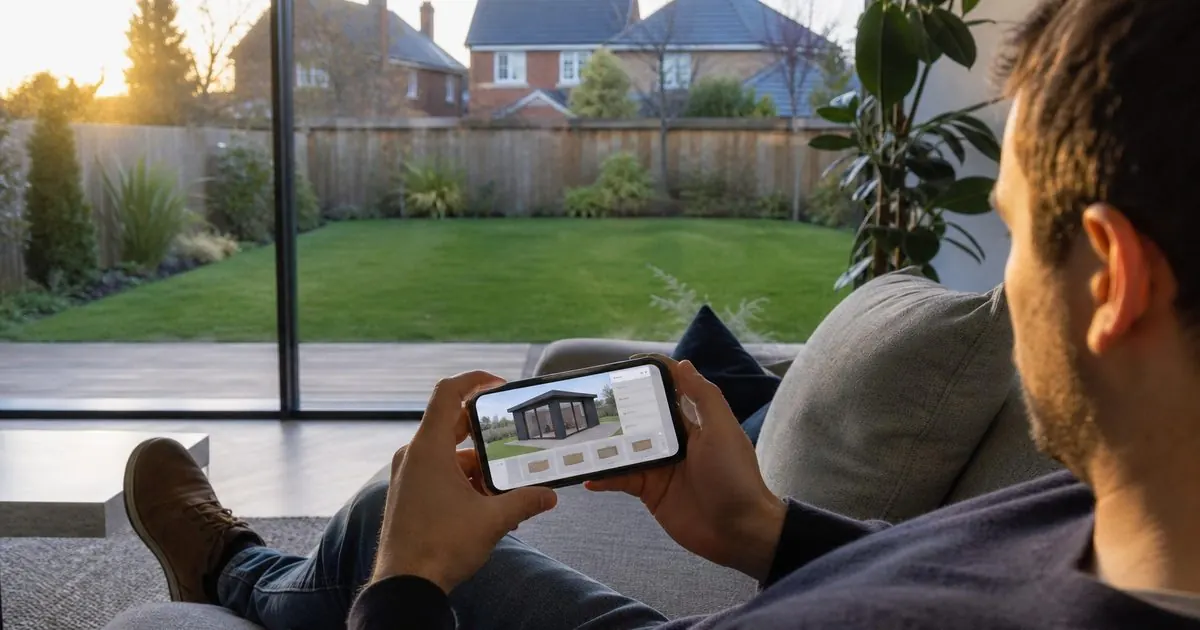
A visual configurator. The buyer sees their room change as they pick options, sometimes in 3D. It is engaging and shareable, but expensive to build and maintain, and slow on phones if done badly. Worth it for firms with a large range and a big ad budget, rarely for a small local installer.
Start with the quiz-style builder. Add visuals later if the numbers justify it.
The questions the builder should ask
Keep it short and make every step useful to both sides:
- Use: office, gym, studio, hobby room, playroom.
- Size: three or four preset sizes with dimensions, and an "other" option.
- Style: two or three cladding and roof options with photos.
- Glazing: standard doors, bifolds, full-width glass.
- Extras: decking, canopy, toilet or shower room, air conditioning, internet.
- Access and ground: side access width, flat or sloping garden.
- Postcode and timescale.
Steps 6 and 7 are as much for you as for them. They tell you if this is a straightforward install or one that needs a site visit before you can price it.
When to ask for contact details
There are two schools of thought. Ask too early and people leave. Ask too late and you have given away the price to someone who never becomes a lead.
The pattern that tends to work: let them complete the options, show a price range on screen, then offer the detailed, itemised quote by email or WhatsApp in return for their name, phone number and postcode. People who have spent three minutes designing their room are far more willing to share details than people on a homepage.
Then reply fast. Someone who has just priced a garden office is at the peak of their interest. A WhatsApp message within minutes, ideally with the quote attached and an offer of a site visit, catches them while they are still at the screen.
The hidden extras problem
The biggest risk with any online price is that it is not the real price. Garden room buyers have heard the stories: a "from" price that became twice as much once the base, the electrics and the access were added. Many arrive suspicious of every number they see.
The things that most often turn a headline price into a shock are:
- The base. Concrete slab, ground screws or piles. Sloping or soft ground costs more.
- Groundworks and spoil. Digging, levelling and taking soil away.
- Access. Narrow side access or carrying everything through the house adds labour.
- Electrics. An armoured cable from the house, a new circuit and a consumer unit in the room. A new circuit is notifiable work under Part P of the Building Regulations, so it needs a registered electrician or building control sign-off.
- Building regulations. As of November 2026, the Planning Portal says a detached outbuilding of 15 to 30 square metres with no sleeping accommodation usually avoids building regulations only if it is at least a metre from the boundary or built substantially of non-combustible materials. Outside those limits, expect to need approval.
- Planning. Most garden rooms are permitted development, but not all. A room within two metres of the boundary is limited to 2.5 metres high, for example.
- The finish. Flooring, heating, lighting, decking and furniture.
Price all-in, and say what is included
The answer is to make your online price and your quotes "all-in" by default. That means the headline range includes a standard base, a standard electrical connection and installation, with a short, clear list of what could add to it.
On the price builder and on every quote:
- Show what is included in plain words: base, installation, electrics up to a set cable length, insulation, internal finish.
- Show what could add cost and why: difficult access, long cable runs, sloping ground, planning or building regulations applications.
- Explain when the price becomes fixed: after the site survey, with no further changes unless the buyer changes the design.
This feels like it will put buyers off. In practice it does the opposite. The firm that is honest about extras looks trustworthy next to the one that will not answer the question. And buyers who book a visit after seeing an all-in range are far less likely to walk away when they see the final quote.
Measure whether it is a lead tool or a time sink
Track four numbers for any configurator or price builder:
- How many people start it.
- How many finish it.
- How many leave contact details.
- How many of those book a site visit and how many order.
If lots start but few finish, the tool is too long or too slow on a phone. If lots finish but few leave details, the offer for the detailed quote is weak. If lots leave details but few book, the follow-up is too slow or the price shocked them.
We build price builders and funnels for home improvement firms, and design the website around them so the numbers above are tracked from day one. If you run a garden room business and want an online price tool that brings in buyers rather than browsers, book a free video call with Tom.
Sources
- Planning Portal: is building regulations approval needed for an outbuilding?
- Planning Portal: outbuildings, planning permission
- GOV.UK: Approved Document P, electrical safety in dwellings
Questions owners ask
Should a garden room configurator show an exact price?
Show a range, not a fixed figure. Ground conditions, access and the electrical run all change the final price, and you will not know them until a survey. A range that is honest about what is included builds trust. An exact price that rises after the visit destroys it.
When should a configurator ask for contact details?
After the buyer has done enough to care about the result, but before you show the full breakdown. A common pattern is to show the price range on screen, then offer a detailed itemised quote by email or WhatsApp in exchange for a name, phone number and postcode.